Installation
REvoDesign uses its own Package Manager — a graphical installer that runs inside PyMOL. It is not distributed on PyPI.
System Requirements
REvoDesign runs on all major operating systems:
| Component | Recommended |
|---|---|
| CPU | Intel Core i5 or above |
| Memory | 8 GB or above |
| Disk | 2 GB free minimum |
| Display | 1920×1080 or higher |
| Software | PyMOL 2.5+, Python 3.10+ (3.12 recommended) |
Supported operating systems:
- Windows 10 or later
- Ubuntu Linux 20.04 or later
- macOS 12 or later
Non-English Windows users: enable UTF-8 support
This is especially important on Simplified-Chinese Windows, where legacy CMD and Windows PowerShell tools may otherwise use CP936/GBK and produce unreadable output or save downloaded text with the wrong encoding.
- Press Win+R, enter
intl.cpl, and press Enter. - Open the Administrative tab.
- Select Change system locale....
- Check Beta: Use Unicode UTF-8 for worldwide language support.
- Select OK and restart Windows when prompted.
- Open CMD or PowerShell and run
chcp. It should report active code page65001.
Microsoft documents this setting as selecting UTF-8 for the Windows active code page. See Use UTF-8 code pages in Windows apps.
REvoDesign continues to test the default Simplified-Chinese Windows CP936/GBK path. This setting is a recommended interoperability workaround, not a prerequisite or a substitute for reporting encoding problems.
Install PyMOL
REvoDesign requires PyMOL. We recommend installing the open-source build from conda-forge:
# Install Miniconda first: https://www.anaconda.com/docs/getting-started/miniconda/install
conda create -y -n revodesign python=3.12
conda activate revodesign
conda install -y -c conda-forge pymol-open-source pyqt=5
pymol
If you already have a working PyMOL installation (2.5+), skip this step.
macOS notes
- Use PyMOL Open-Source on native Apple Silicon. The conda-forge build
above installs the
osx-arm64binary automatically on Apple Silicon — no Rosetta required. The official PyMOL bundle runs under Rosetta x86_64 emulation and is not recommended; REvoDesign is tested against the native conda-forge build, not the emulated bundle. -
Xcode Command Line Tools are required to compile dependencies that have no prebuilt wheel. Install them once before the first installation:
xcode-select --install
Install REvoDesign Package Manager
- Open PyMOL.
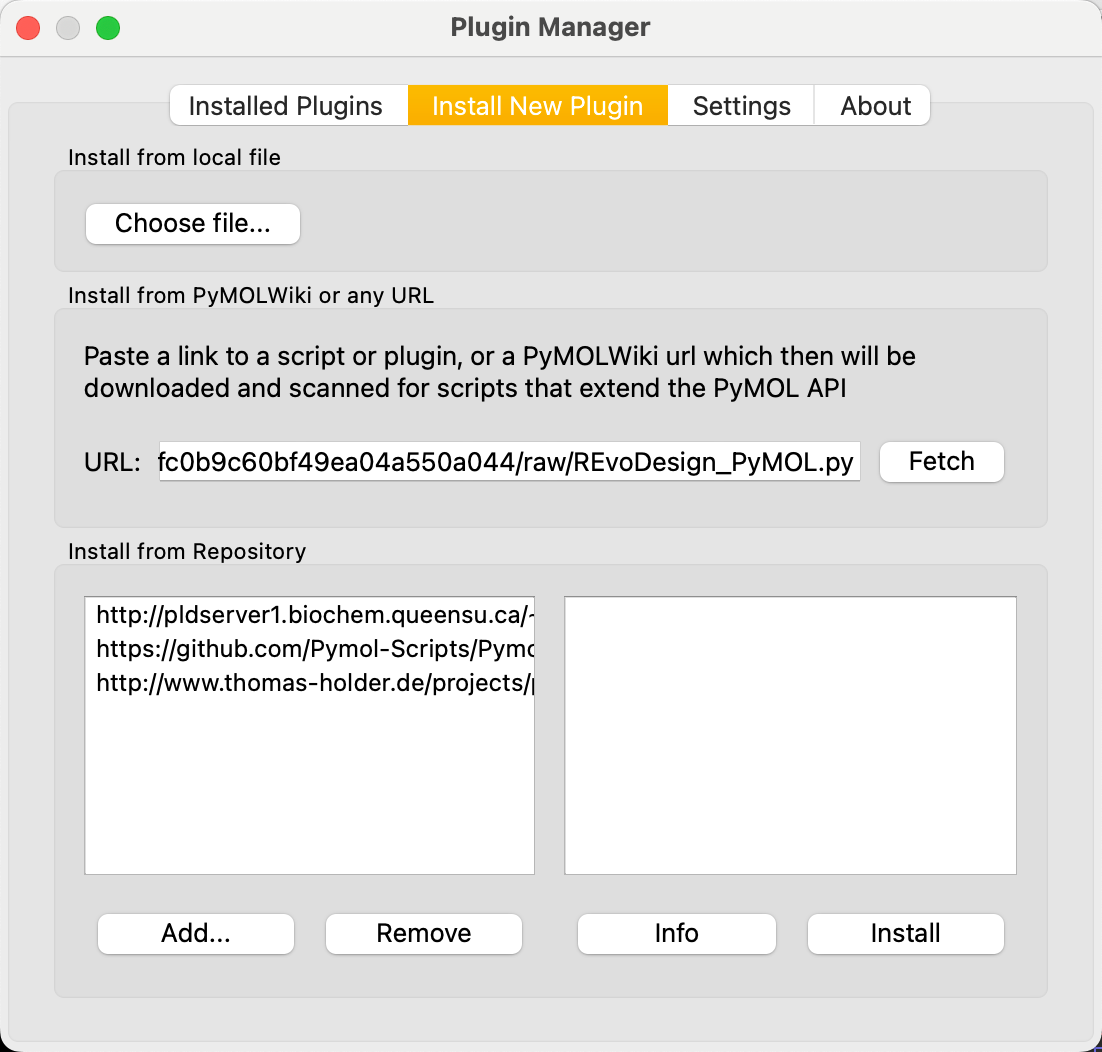
- Navigate to Plugin → Plugin Manager → Install New Plugin.
- Select Install from PyMOLWiki or any URL.
-
Paste the Package Manager URL:
https://gist.githubusercontent.com/YaoYinYing/c1e8bfe0fc0b9c60bf49ea04a550a044/raw/REvoDesign_PyMOL.py -
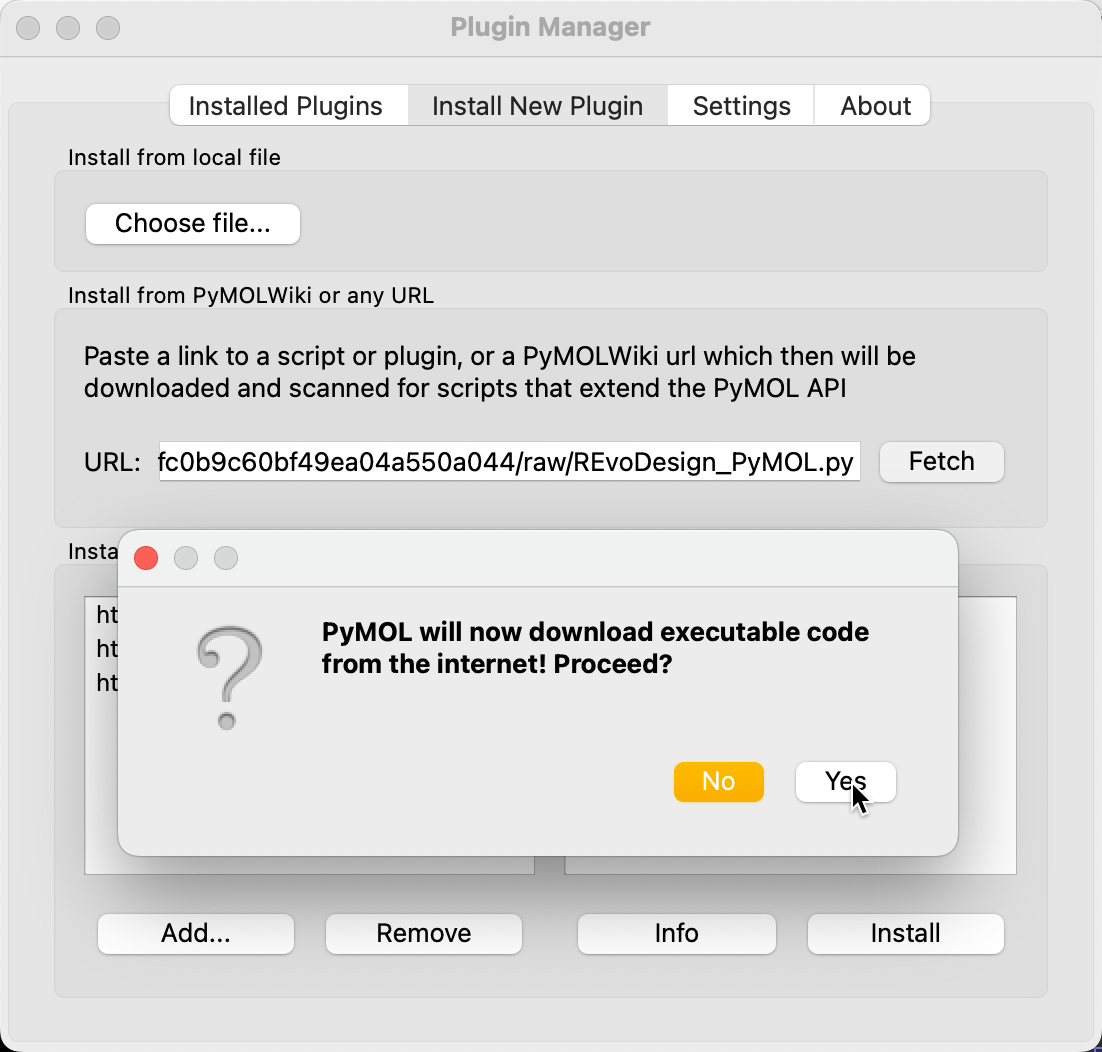
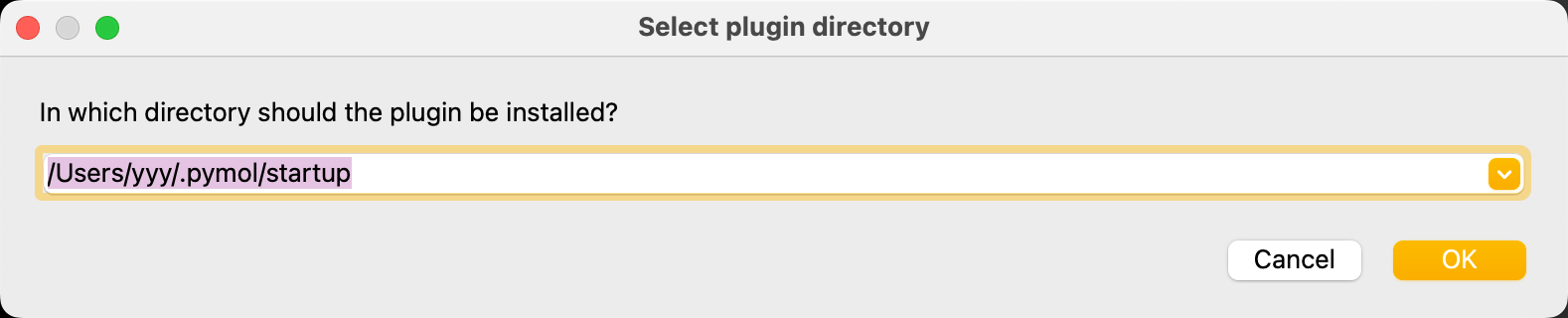
Click Fetch and confirm.
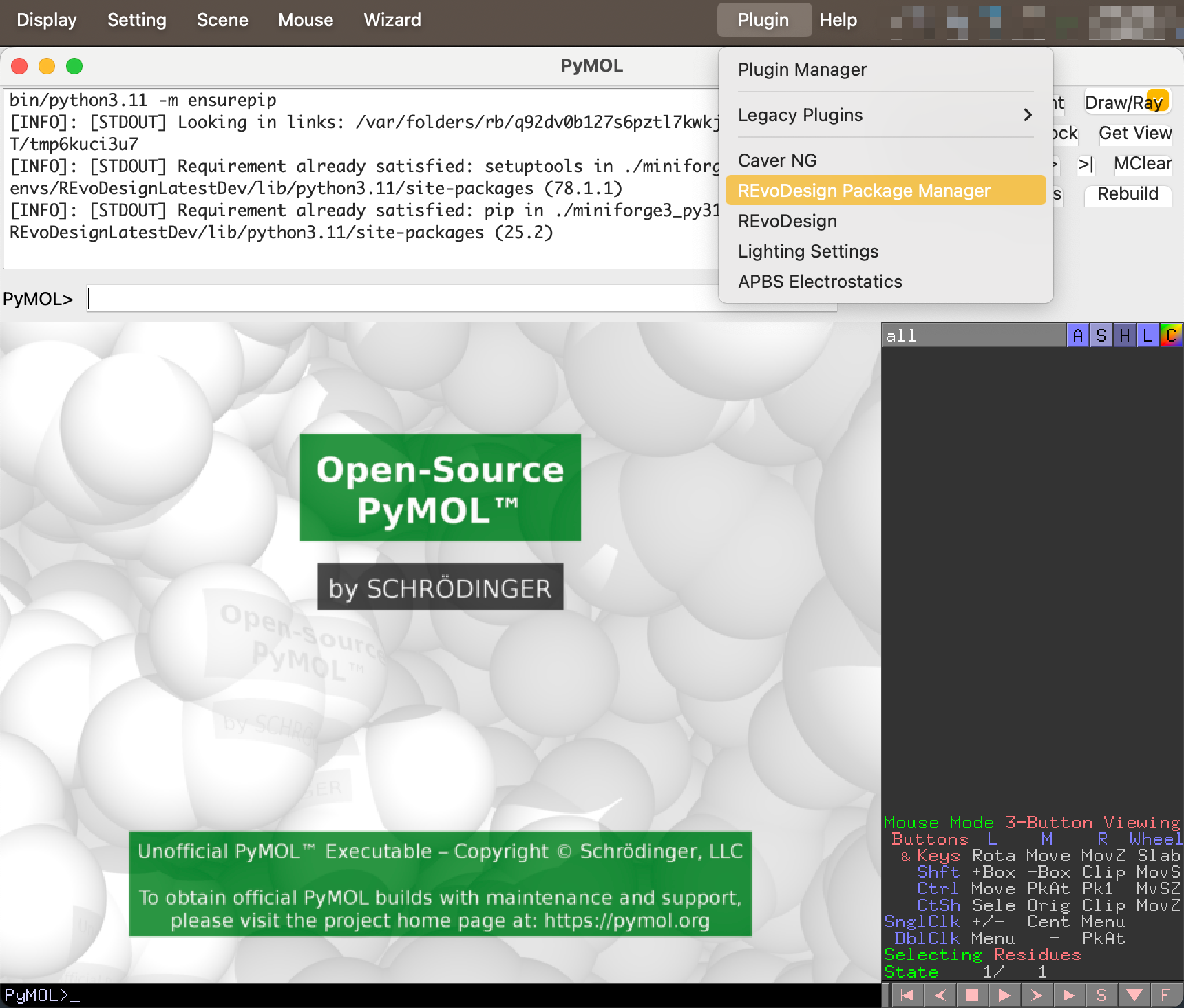
- The REvoDesign Package Manager appears in the Plugin menu.
Install REvoDesign from the Package Manager
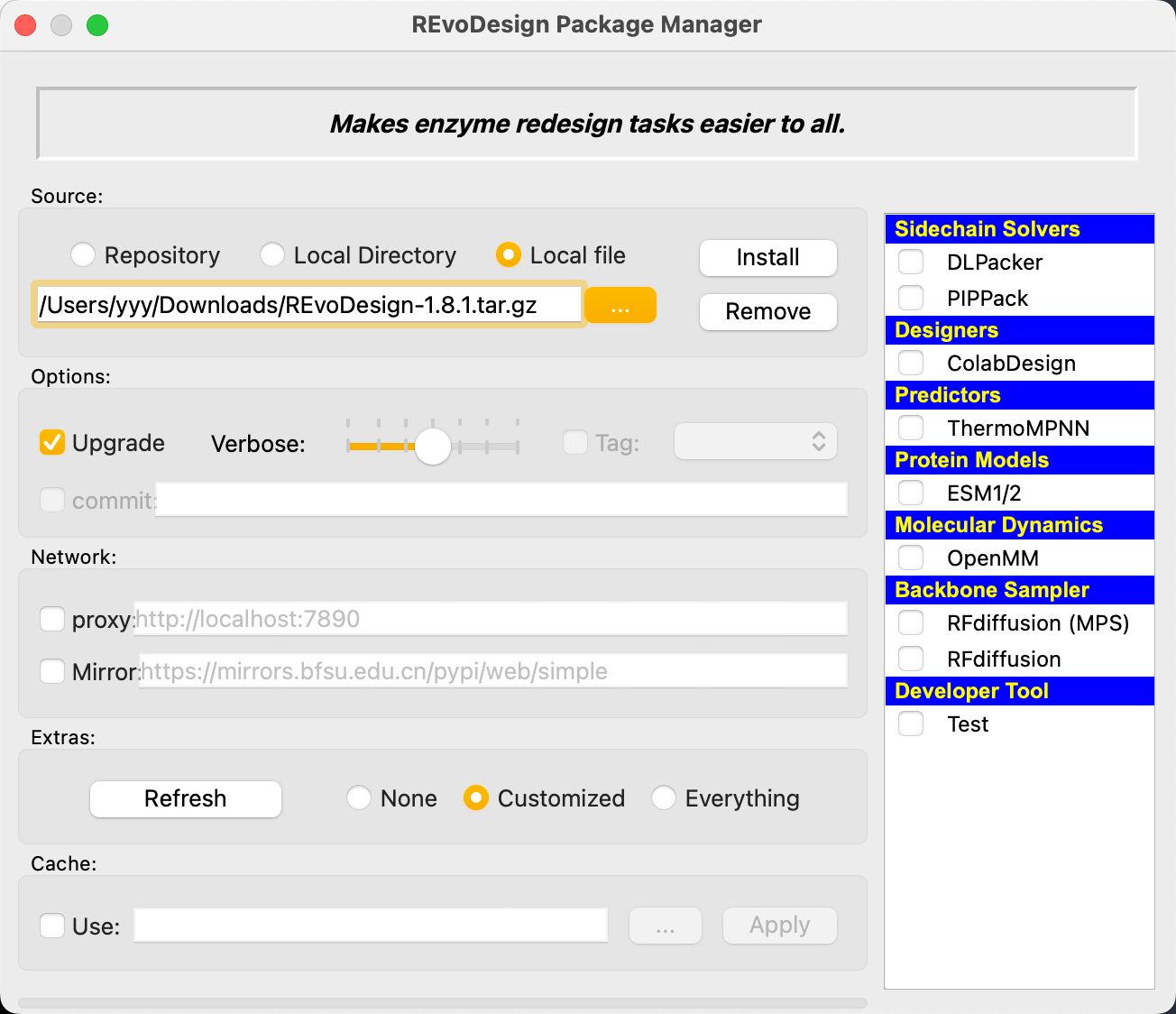
Using a Local Archive (Recommended)
- Download the latest release (
.zipor.tar.gz) from the GitHub Releases page. - In PyMOL, open Plugin → REvoDesign Package Manager.
- Set Source to
Local file. - Click
...and select the downloaded archive. - In the Extra section, choose components to install:
None— core only (recommended for first-time install)Customized— select specific components from the listEverything— all components except the test suite
- Click Install.
First-time installation
Start with None for the Extra components. You can install additional
components later by re-running the Package Manager with Customized.
Using the Repository (Advanced)
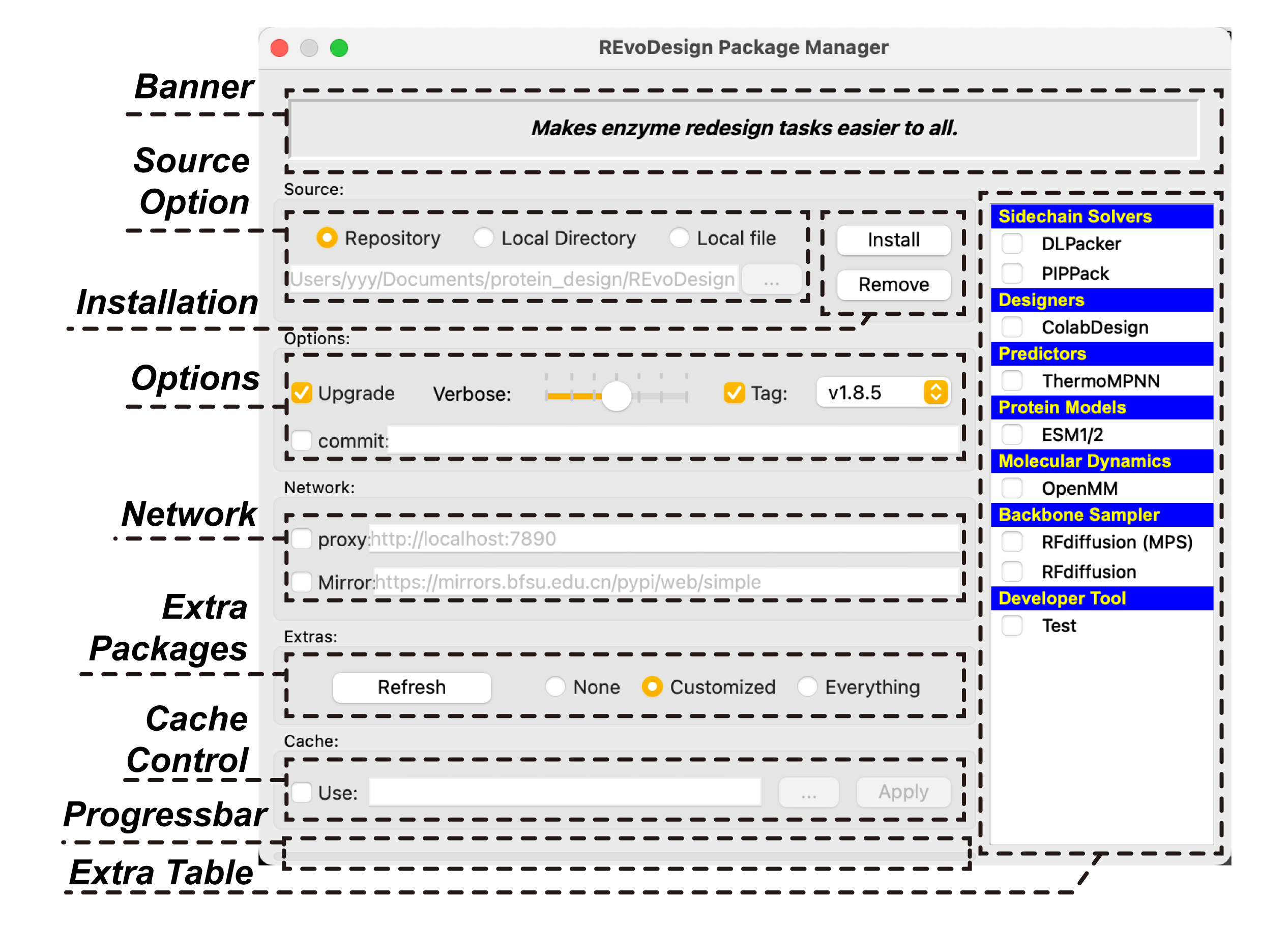
Set Source to Repository to install directly from GitHub. You can specify
a branch, tag, or commit hash in the Commit field. Use Tag to select
from available release tags (click the dropdown after the tags load). Click
Refresh GitHub Release tags from the right-click menu if the tag list is
stale.
Network Configuration
In the Network section you can configure:
- HTTP/HTTPS proxy settings
- PyPI mirror URL (useful for users in mainland China)
Verify Installation
- Restart PyMOL after installation completes.
- Check that REvoDesign appears in the Plugin menu.
- If installation fails, check the PyMOL command log for error details. Users in mainland China may need to adjust network settings and retry.
Right-Click Menu
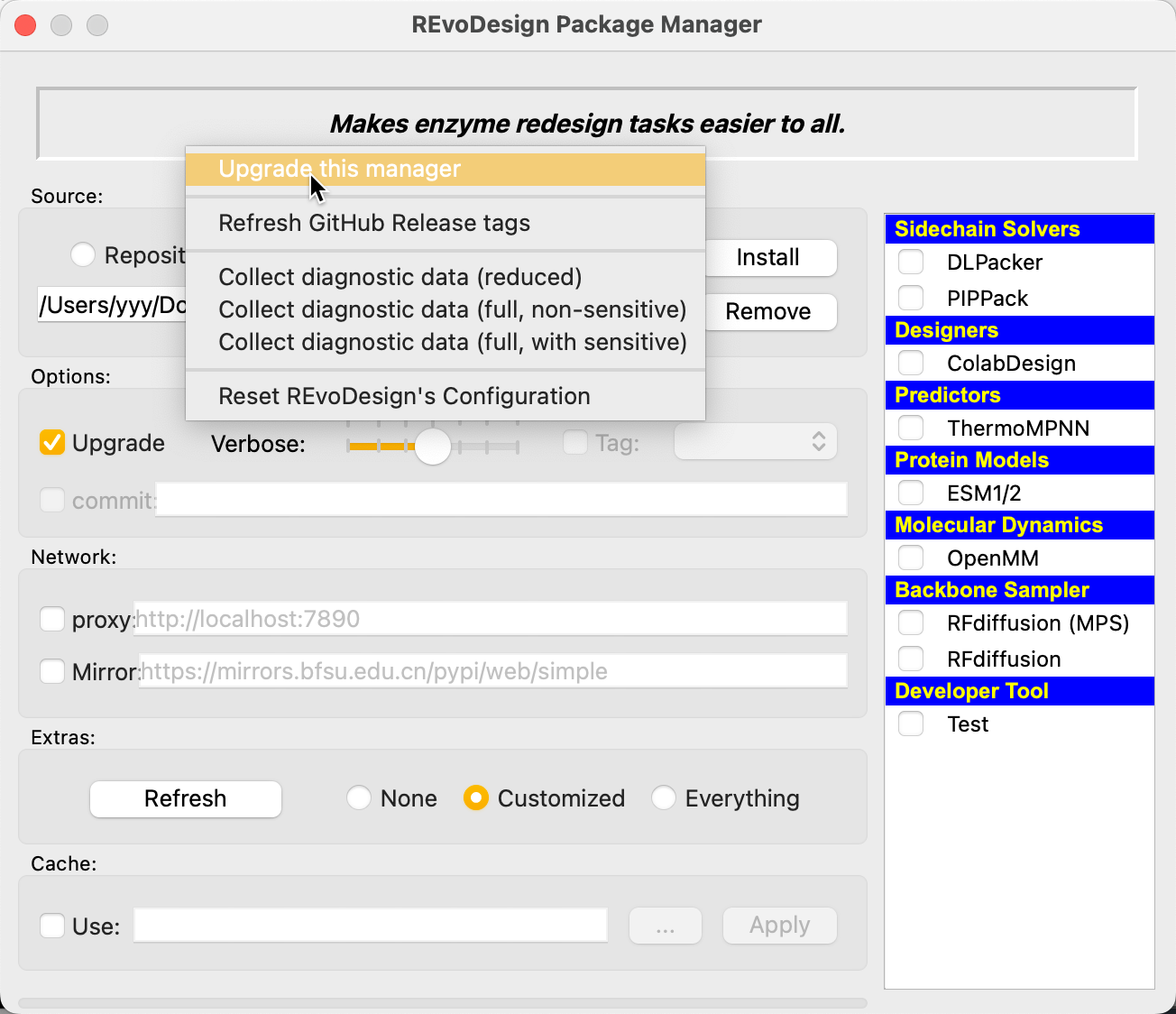
Right-click in the empty area of the Package Manager for additional options:
| Option | Description |
|---|---|
| Upgrade this manager | Update the Package Manager UI and Python files. Shows a diff of changes before confirming. |
| Reset REvoDesign's configuration | Delete user config and restore defaults from the program directory. Use when bad config prevents startup. |
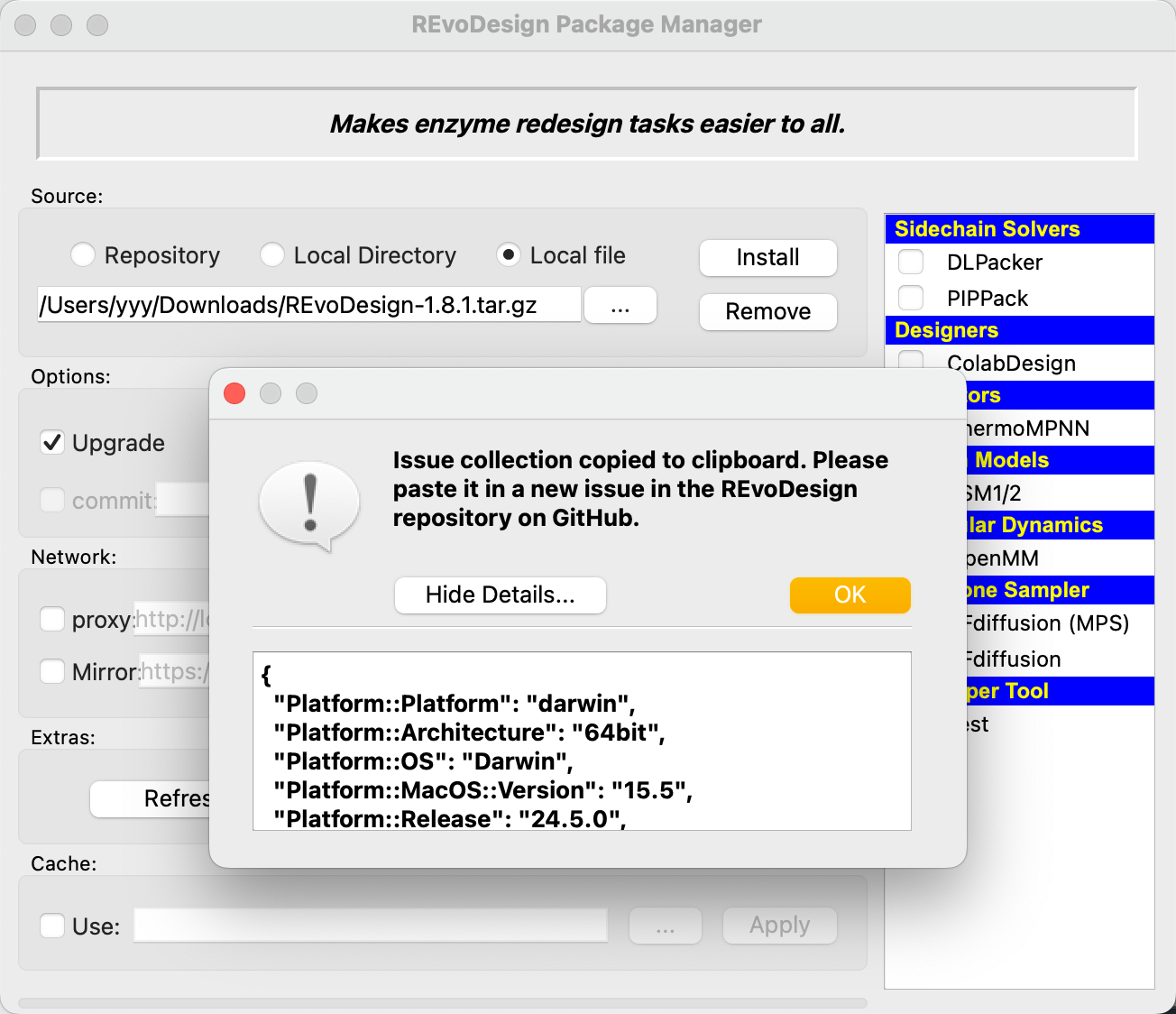
| Collect diagnostic data (reduced) | Minimal diagnostic info to clipboard. |
| Collect diagnostic data (full, non-sensitive) | Complete diagnostic info with sensitive data filtered out. |
| Collect diagnostic data (full, with sensitive) | Complete unfiltered diagnostic data. Only share with trusted parties. |
| Refresh GitHub Release tags | Refresh the Tag dropdown for repository installs. |
Self-Upgrade
- Right-click in the Package Manager empty area.
- Select Upgrade this manager.
- Review the diff of changes shown in the confirmation dialog.
- Click Yes to apply the update.
- Restart PyMOL for the updated manager to take effect.
Reset Configuration
If REvoDesign fails to start due to a bad configuration:
- Right-click in the Package Manager empty area.
- Select Reset REvoDesign's configuration.
- Confirm by clicking Yes.
- The user config directory is replaced with fresh defaults.
- Restart PyMOL.
Advanced Install Options
| Option | Purpose |
|---|---|
| Verbose (slider) | Logging verbosity during install. Far right = minimal; center = normal; far left = full debug. Use far left for troubleshooting failed installs. |
| Tag | Select a release tag when Source is Repository. |
| Commit | Custom branch, tag, or commit hash for repository installs. |
| Refresh | Refresh the list of available optional components. |
| Cache | Override the default cache location. Not recommended unless disk space is constrained. |